How to setup the BOIII client
Black Ops 3Technical Guides and Information
Table of Contents
This guide will teach you how to setup the BOIII client for Black Ops 3, however only one version of the client is allowed: BOIII Community, as it has anticheat features that in recent times have become very useful.
Downloading the client
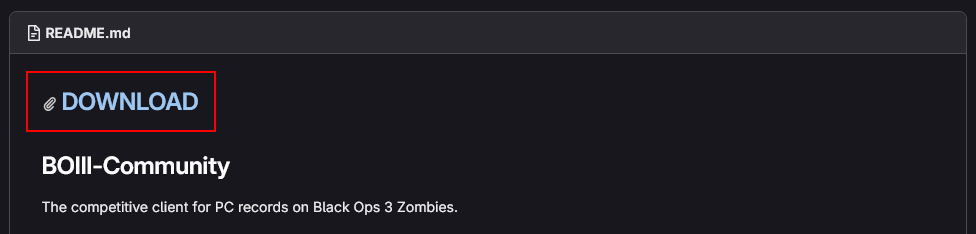
The client can be found at this link, there is big blue text that says "DOWNLOAD", click on that.
Installing the client
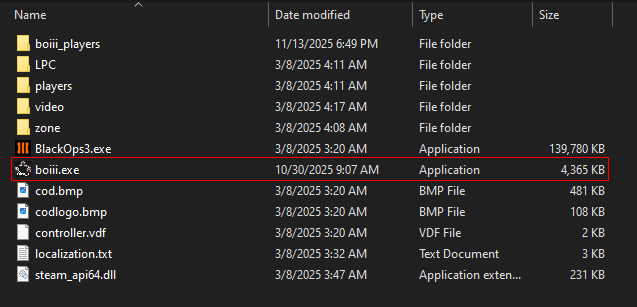
Installing the client is easy, simply drag it to your Black Ops 3 installation folder.
- Navigate to your game folder.
- Right click on Call of Duty: Black Ops 3 in your Steam library.
- Hover over Manage.
- Click Browse local files.
- Place boiii.exe in the root of the folder, next to BlackOps3.exe and run it.
- From now on, run the game from boiii.exe.
Useful Tips
And that is all you have to do, here are some extra tips that might be useful to you when using the client:
- You can create a shortcut if you wish my selecting the client's executable, right clicking it, and selecting Create Shortcut and drag that wherever you want.
- Your configs from the players folder will be copied to boiii_players for compatibility purposes, so if you wish to edit your configs, you'll have to do it from there.