How to open the console on Plutonium BOIII and other clients
All clients that are used for records come with an in-game console, and is only able to be opened by pressing a special key.
To open the console on any of these clients, press the ~ key on your keyboard.
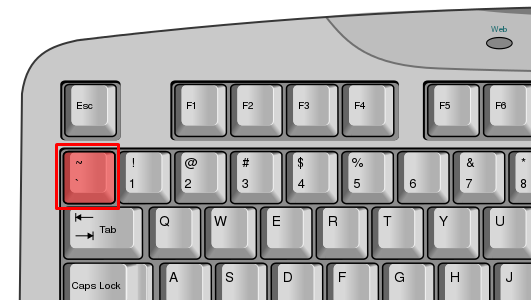
Once pressed, the console will open. You will see something that looks similar if not the same to this:

You will use this key on your keyboard to open/close the console. Keep in mind that you can not interact with the game while the console is open, it is probably best to open it while paused or in the main menu of the game.
My keyboard doesn't have the ~ key, what do I do?
Typically smaller percentage keyboards will have a shortcut for this key, it involves using the FN key in combination with other keys on your keyboard.You can try one of the following combinations:
- FN + ESC
- FN + SHIFT + ESC
If those do not work, you may have to refer to your keyboard's manufacturer.